Intraday Gold V1.1: gold trading robot for MT5
Intraday Gold V1.1 is an Expert Advisor (an automated trading robot) for MetaTrader 5. It is built for gold (XAUUSD) on the 30-minute chart (M30) and is a trend-following robot. It opens its trades automatically, attaches a stop loss and a take profit to every trade, and uses a trailing stop to protect profit once a trade moves in your favor. It does not use martingale, grid or averaging.
It works on both Standard and Cent accounts, with any broker that offers MetaTrader 5 and gold. This guide explains what you need, how to install it, what every setting does and the mistakes to avoid, so you can decide with all the information in front of you.
What you need
- MetaTrader 5. The robot is an MT5 Expert Advisor. It does not run on MetaTrader 4.
- A broker account with gold. Standard or Cent, with a gold symbol such as XAUUSD (your broker may add a suffix).
- A VPS if you want it to trade 24 hours a day on trading days. See the VPS section below.
- Algo Trading enabled in MetaTrader 5 and a stable internet connection.
- A suitable lot size and a risk plan. This is more important than any other setting.
Standard and Cent accounts
Intraday Gold V1.1 works on both account types without problems.
- Standard account: the balance is shown in your account currency (for example US dollars). It is the most common choice.
- Cent account: the balance is shown in cents (for example 10,000 cents equals 100 dollars) and trade sizes are much smaller in real money. It is a good way to test the robot with real money and very low risk.
Cent accounts use their own contract size, so a lot size that suits a Standard account can behave differently on a Cent account. Check the contract size at your broker, start with a small lot and compare the results on a demo account first. Read more in our guide to Standard vs Cent accounts.
How to install Intraday Gold V1.1
- Get the robot file from support on Telegram. It is a file ending in .ex5.
- In MetaTrader 5, open File and choose Open Data Folder.
- Open the folder MQL5, then the folder Experts, and paste the .ex5 file there.
- Return to MetaTrader 5. In the Navigator panel, right-click Expert Advisors and choose Refresh. The robot appears in the list.
- Open a gold chart (XAUUSD or your broker's gold symbol) and set the timeframe to M30.
- Drag Intraday Gold from the Navigator onto the chart.
- In the window that opens, in the Common tab, tick Allow Algo Trading. Open the Inputs tab to check the settings and press OK.
- Make sure the Algo Trading button at the top of MetaTrader 5 is green. When the robot is running, the dashboard on the chart shows RUNNING.
Settings explained
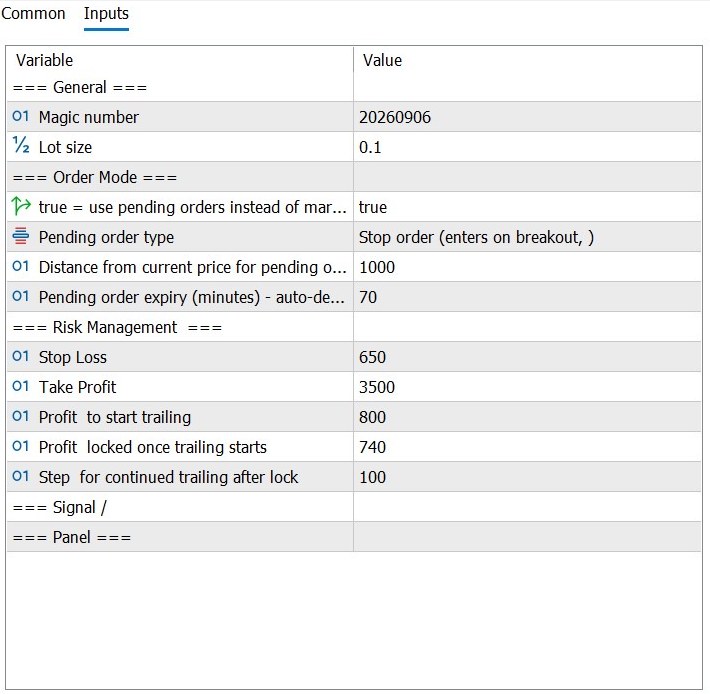
This is the Inputs window of Intraday Gold V1.1 as we use it. Values are in points. On most brokers a gold price of 4150.00 has two decimals, so 100 points = $1 of price movement, and the robot adjusts the values automatically for brokers with three or five decimals.
| Setting | Value | What it does |
|---|---|---|
| Magic number | 20260906 | A number that identifies the trades opened by this robot, so it does not touch other trades on the account. Keep a different magic number for each robot or chart. |
| Lot size | 0.1 | The volume of every trade. This is the most important risk setting. Choose it from your balance and your stop loss, and start small. |
| Use pending orders instead of market orders | true | When true, the robot places pending orders. When false, it opens trades at the current market price. |
| Pending order type | Stop order | Stop order: the order triggers when price moves away from the current price by the distance below. The other option, Limit order, waits for price to come back by that distance. |
| Distance from current price for pending order | 1000 points | How far from the current price the pending order is placed. |
| Pending order expiry (minutes) | 70 | If the pending order is not triggered within this time, it is deleted automatically. |
| Stop Loss | 650 points | The maximum distance the price can move against the trade before it closes. |
| Take Profit | 3500 points | The profit target of the trade. It is set larger than the stop loss. |
| Profit to start trailing | 800 points | Profit the trade must reach before the trailing stop becomes active. |
| Profit locked once trailing starts | 740 points | When trailing starts, the stop loss is moved so that this much profit is locked in. |
| Step for continued trailing after lock | 100 points | After that, each additional step of profit moves the stop loss forward by this step. It never moves backwards. |
What these numbers mean in money
With these values, on a gold symbol with two decimals, the stop loss of 650 points is a price move of $6.50, the take profit of 3500 points is $35, the trailing start of 800 points is $8, the locked profit of 740 points is $7.40 and the trailing step of 100 points is $1. On most brokers 1.00 lot of gold is 100 ounces, so on a Standard account a $6.50 stop loss risks about $65 with 0.10 lot and about $6.50 with 0.01 lot. Always check the contract size at your broker, and remember that gaps, spread and slippage can make a real loss different from the stop loss value.
The dashboard on the chart
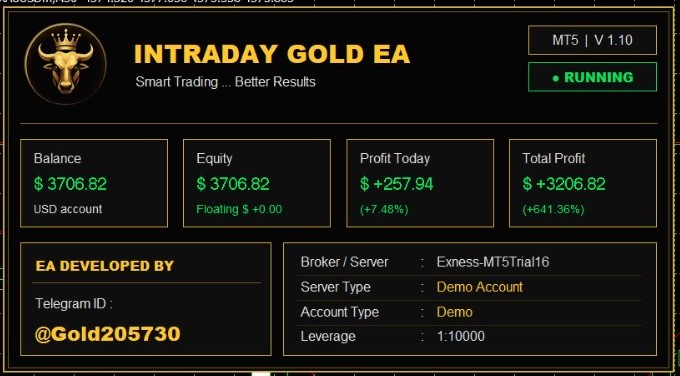
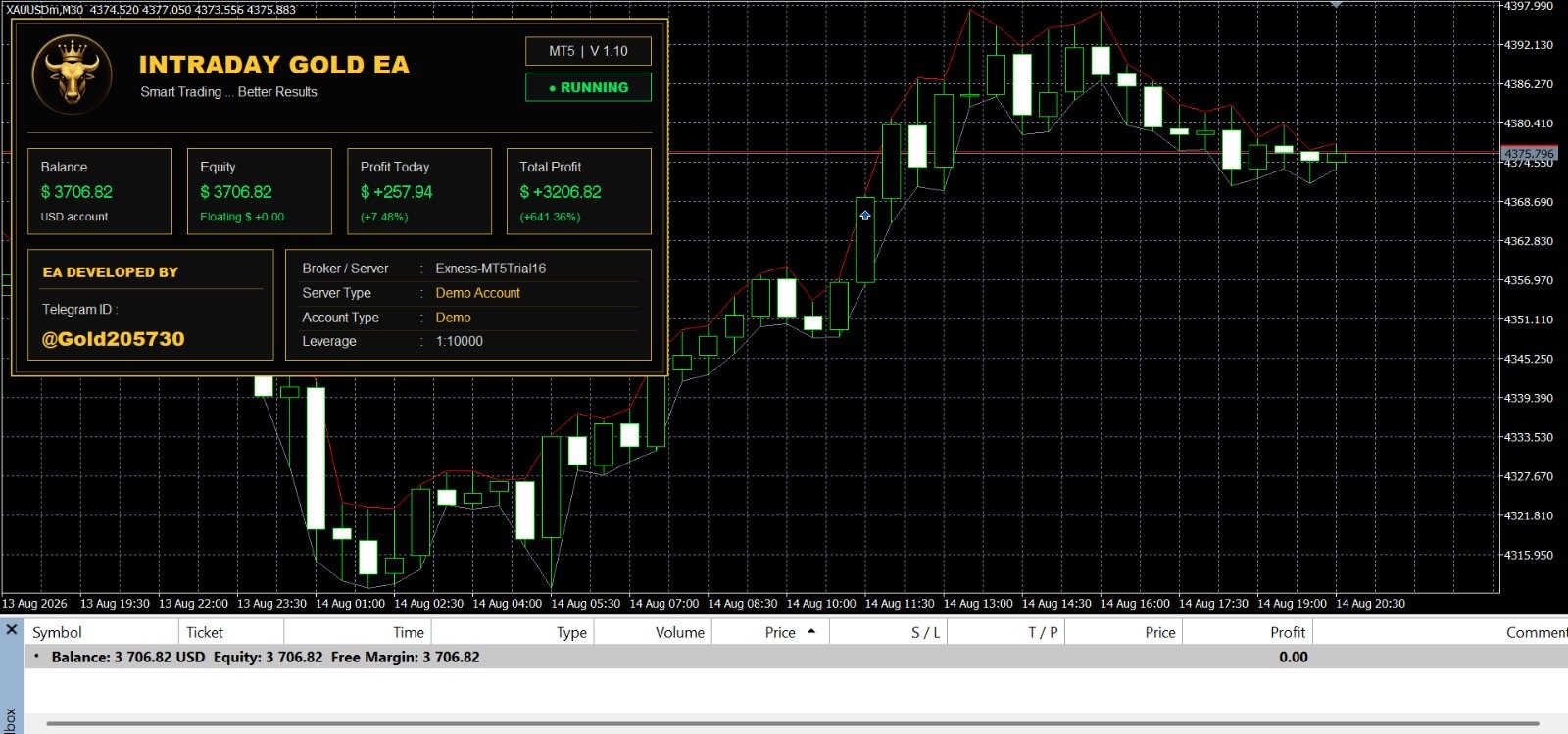
When the robot is attached, a panel appears on the chart. It shows your balance, equity, profit today and total profit, the broker and server, the account type and the leverage, and the status of the robot (RUNNING). It is a quick way to see that the robot is active and to follow its results.
Strategy Tester and results
Before you use any robot with real money, test it. In the MetaTrader 5 Strategy Tester choose gold (XAUUSD), the M30 timeframe, the model Every tick based on real ticks, a deposit and leverage like your real account, and a realistic spread. Zero spread or an unrealistic deposit gives misleading results. Then compare the tester with a demo account in real time.
Troubleshooting and common mistakes
- The robot does not trade: check that the Algo Trading button is green, that Allow Algo Trading is ticked in the robot window, and that a smiley face appears at the top right of the chart.
- Wrong symbol or timeframe: attach the robot to a gold chart on M30.
- Market closed: gold does not trade during the weekend or the daily break.
- Not enough free margin: reduce the lot size or add funds.
- The robot stops at night: your computer went to sleep or lost internet. Use a VPS.
- Changing the settings every day: pick a plan, keep it, and judge results over weeks.
- Lot size too large: the most common reason for a blown account. Start small.
- Two robots on the same chart or the same magic number: they can interfere with each other.
Risk management in short
Decide how much you accept to lose on each trade before you start, choose the lot size from that number and your stop loss, test on a demo account, and never trade with money you cannot afford to lose. Read the full guide on lot size and risk management.
Frequently asked questions
What is Intraday Gold V1.1?
Intraday Gold V1.1 is a trend-following Expert Advisor for MetaTrader 5, built for gold (XAUUSD) on the 30-minute chart. It places every trade with a stop loss and a take profit and uses a trailing stop.
Which symbol and timeframe should I use?
Gold (XAUUSD) on the M30 chart. Some brokers add a suffix to the symbol, for example XAUUSDm or XAUUSD-STDc. Open the chart of your broker's gold symbol and attach the robot to it.
Does it work on Standard and Cent accounts?
Yes. Intraday Gold V1.1 works on both Standard and Cent accounts without problems. On a Cent account the balance is shown in cents, so check the contract size at your broker and start with a small lot.
Does it use martingale, grid or averaging?
No. It does not use martingale, grid or averaging. Every trade has its own stop loss and take profit.
Which broker can I use?
Any MetaTrader 5 broker that offers gold and allows Expert Advisors. The brokers listed on this page are the ones we have worked with.
Do I need a VPS?
To keep the robot running 24 hours a day on trading days, yes. If MetaTrader 5 is closed, the robot cannot trade or manage the trailing stop.
What lot size should I use?
It depends on your balance and the loss you accept on each trade. The value 0.1 in the settings screenshot is only an example. Start small and read our lot size and risk management guide.
Why did the robot not open a trade?
Common reasons: Algo Trading is switched off, the chart is not a gold symbol, the market is closed, the account has too little free margin, or no trade condition has been met yet. See the troubleshooting section.
How can I get Intraday Gold V1.1?
Contact support on Telegram. You will get the robot file, help with the configuration and support.
Is profit guaranteed?
No. Trading carries a high risk and no robot can guarantee profit. Always test on a demo account first.
Want more information about Intraday Gold V1.1?
Contact support on Telegram to learn more about the robot and how to configure it.
Contact support on Telegram